
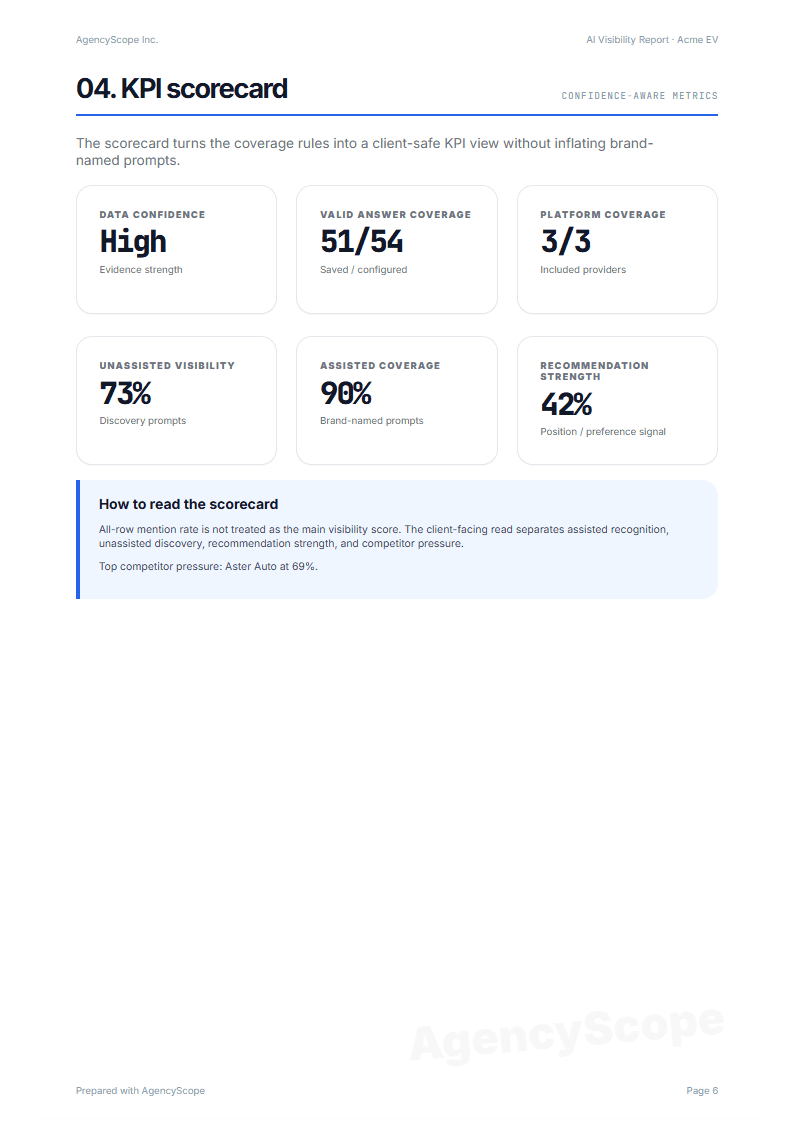
KPI scorecard
Client-safe metrics separate assisted recognition, unassisted discovery, valid answer coverage, and competitor pressure.
AI visibility reports
AgencyScope turns recurring ChatGPT, Perplexity, and Gemini checks into white-label PDF reports with client-safe metrics, competitor pressure, and prompt-level evidence.
Clients now ask whether their brand appears in AI-generated recommendations. Manual prompt testing creates scattered screenshots and weak evidence. AgencyScope turns that into a repeatable client report.
AgencyScope keeps the report focused on the evidence clients need to understand AI answer visibility without treating every mention as a ranking win.
A repeatable workflow for agency teams: configure the client brand, run the checks, then download the client-ready PDF.
01
Add brand name, industry, region, competitors, and prompts. Use starter prompts or import your own.
02
Test prompts across ChatGPT, Perplexity, and Gemini. Run manually or schedule weekly or monthly checks.
03
Download a polished report with your agency logo, color, footer, notes, and answer-level evidence.
The sample report shows the client-facing sections AgencyScope is built to generate: scorecards, platform evidence, and auditable answer excerpts.
Client-safe metrics separate assisted recognition, unassisted discovery, valid answer coverage, and competitor pressure.
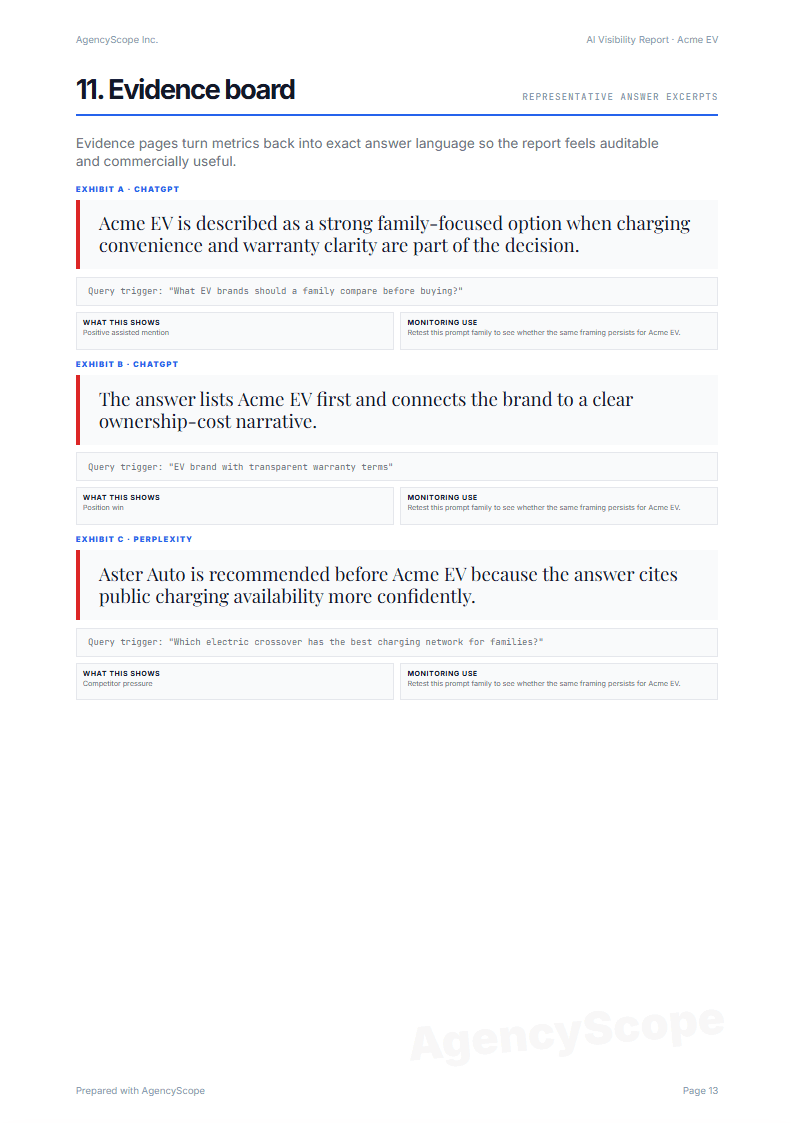
Representative AI answer excerpts keep every finding traceable for client meetings and account reviews.
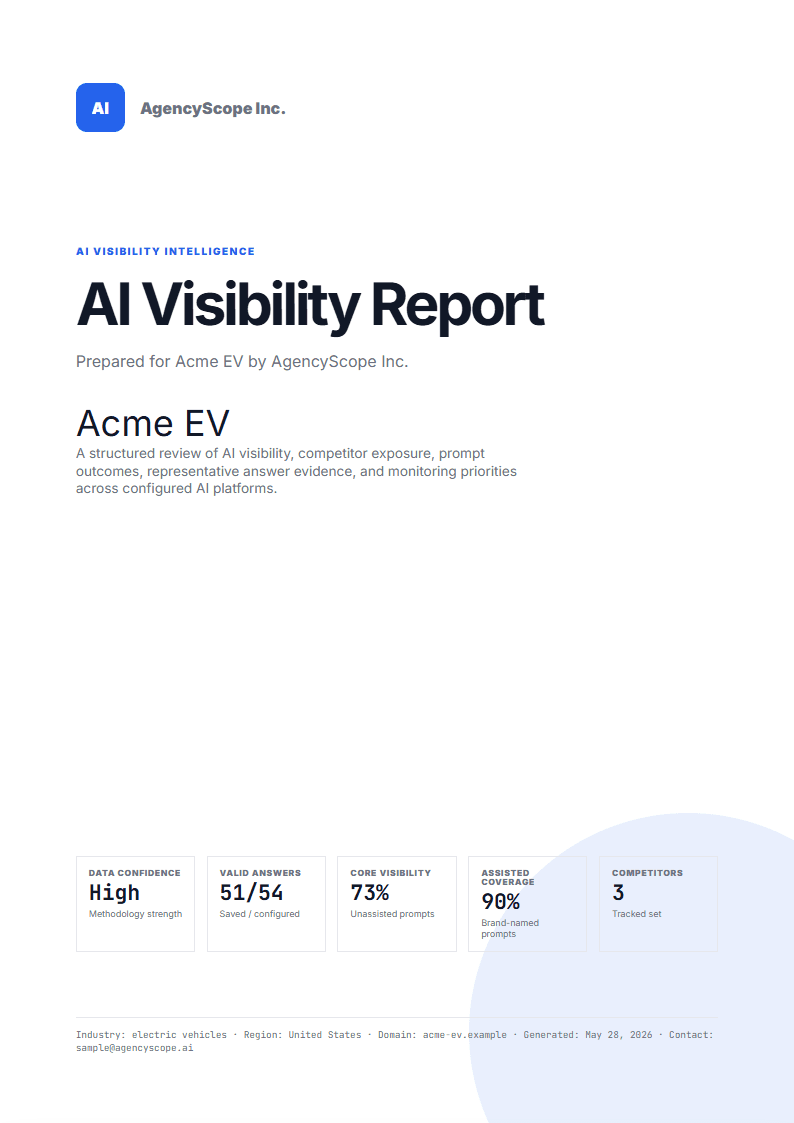
The finished PDF uses agency branding, reporting context, and a client-ready opening page.
Add a recurring AI visibility section to SEO and GEO retainers without rebuilding slides each month.
Turn a one-off audit into a structured PDF that explains where the brand appears and what to monitor next.
Show existing clients a new AI search reporting layer that fits your current account workflow.
No. AgencyScope is not a full SEO suite, GEO platform, or content optimization agent. It is built for one agency workflow: run AI visibility checks and generate white-label PDF reports your clients can understand.
Yes. Reports are designed as client-facing PDFs with your agency logo, brand color, footer, contact details, methodology notes, and representative answer evidence.
AgencyScope runs prompts across ChatGPT, Perplexity, and Gemini, then compares brand mentions, competitor pressure, platform differences, and answer-level evidence.
Reports separate assisted prompts from unassisted discovery prompts, show provider coverage, keep prompt-level findings, and include representative AI answer excerpts.
Not in V1. AgencyScope tracks AI answer visibility and creates reports. Your team keeps strategy and client communication while AgencyScope handles the repeatable testing and reporting workflow.